

 Contact Us

Website cache testing should prove three things: visitors receive updates within an agreed time, one customer's information never appears in another customer's response, and a deployment remains usable for people who already have the website open. A fast homepage does not establish any of these. The useful acceptance question is simple: after something changes, who can still see the old version, for how long, and why?
Imagine correcting a service telephone number in the CMS. The editor sees the correction immediately, but a returning visitor still sees yesterday's number. Both people may be reporting accurately. Browser storage, a content delivery network, the application and an open page can each retain different information. Asking everyone to clear their browser hides the evidence without establishing a dependable publishing process.
This guide helps business owners, content teams and developers agree on practical cache acceptance tests. It concentrates on delivery correctness rather than chasing a performance score. Add these checks to the scope in your website design brief, especially when updates affect service details, product information, account screens or downloadable documents.
Map the delivery layers and content rules
Start with a short diagram of the actual website. A visitor's request may pass through a browser cache and CDN before reaching the hosting server. The application may additionally store generated pages or query results. A service worker, where installed, can have another caching strategy. Do not assume that every website uses every layer, or that the same company controls all of them.
Ask the developer to identify the owner, relevant settings and refresh mechanism for each layer. An editor needs to know what publishing does automatically and when a developer must intervene. The support team needs to know which evidence distinguishes an outdated application response from an outdated browser resource. Record this responsibility in the website maintenance agreement.
Give different content different expectations
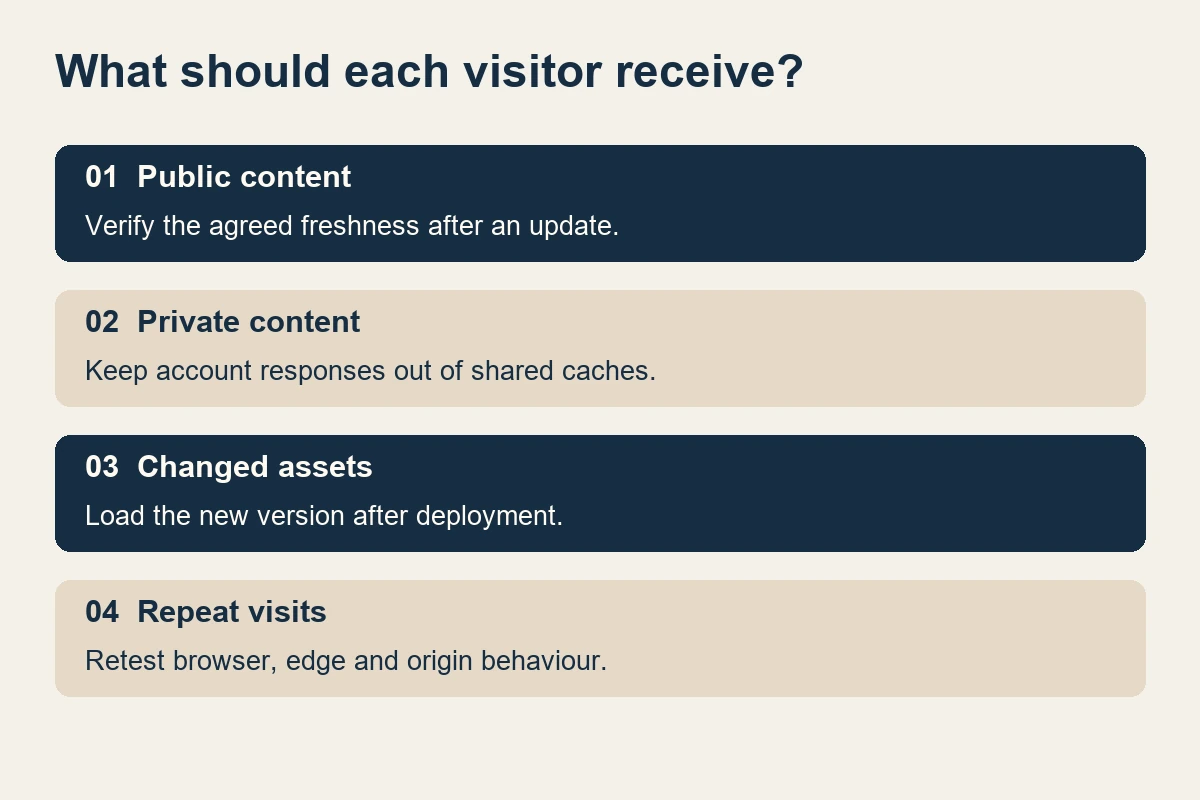
A company profile, an account balance and a stylesheet do not share the same acceptable lifetime. Write a content matrix before choosing numerical settings. For each class, identify whether it is public, how quickly changes must appear, whether an older response is acceptable during an outage, and who approves that decision.
| Content class | Acceptance question | Evidence to collect |
|---|---|---|
| Public service page | When does a published correction reach returning visitors? | Published marker, request times and observed response |
| Customer account | Can only the authorised customer retrieve the information? | Separate controlled sessions and access checks |
| Versioned CSS or JavaScript | Does each release load compatible files? | Referenced filenames and successful resource requests |
| Downloadable catalogue | Does the current link deliver the approved edition? | Visible edition, file identity and response headers |
| Price or availability response | Is the displayed value current enough for its purpose? | Approved update window and authoritative transaction check |
These are questions to specify, not universal cache settings. The business might accept a short delay for a case study but require immediate handling of a withdrawn offer. Caching must support the agreed rule. It cannot establish whether the underlying product record or calculation is correct.
Understand the headers without guessing
HTTP response headers describe caching instructions and validation information. The HTTP caching standard, RFC 9111, distinguishes storing a response from reusing it. That distinction prevents a common misunderstanding: no-cache permits storage but requires successful validation before reuse; no-store instructs caches not to store the response. Unqualified private prevents shared-cache storage while allowing a private browser cache.
max-age expresses a freshness lifetime in seconds. s-maxage applies to shared caches. ETag and Last-Modified can support validation of a stored representation. Vary identifies request headers used to distinguish response variants. An Age header can help show that a response has spent time in caches. None of these fields alone proves that the delivered content is correct.
Separate intentional staleness from a defect
MDN's Cache-Control reference explains directives including stale-while-revalidate, which allows an older response during background validation, and stale-if-error, which permits specified stale reuse under defined errors. Such behaviour needs an explicit content decision. A cached editorial page and a customer's current payment status deserve different treatment.
Ask the supplier to explain the effective policy at the public URL. A hosting dashboard screenshot is supporting evidence; the response visitors receive is the acceptance evidence. CDN rules, application settings and resource types can differ. Record any provider-specific cache-status header with its documented meaning instead of treating every word such as HIT or BYPASS as interchangeable across services.
A reviewer does not need to design every header. The reviewer does need a clear explanation connecting the configured behaviour to the content matrix. Avoid copying a header recipe from an unrelated site simply because it includes a large lifetime or promises better speed.
Test a controlled content update
Use an approved test page and harmless content marker, such as a temporary edition label. Agree on the expected update window and restore the original text afterward. Perform the rehearsal on a representative environment first. A later production check needs its own authorisation and should use only the agreed small change.
Establish the baseline before publishing
- Open the page as a signed-out visitor with ordinary caching enabled. Record the URL, time, visible marker and relevant response headers.
- Reload it and revisit it through the site's navigation. This creates a returning-visitor baseline instead of testing only an empty browser.
- Keep one tab open. Use a separate clean browser profile for the fresh-visitor comparison, with no editor session.
- Publish the approved change through the usual CMS workflow. Record when publication completed and any automatic refresh action.
- Repeat the same journeys at agreed intervals, comparing content and evidence against the promised window.
Record a failure even when only one route is outdated. A correct detail page does not compensate for an incorrect listing, navigation label or related-content card. Include each dependent surface in the test, because publishing one record may affect several generated responses.
Use browser tools to isolate the difference
In Chrome DevTools, open Network, select the main document request and review Headers and Response. Then inspect relevant data requests and assets. Chrome's Network reference documents the Disable cache option and request inspection. Capture an ordinary cached visit first; use disabled browser caching as a diagnostic comparison afterward.
Disabling the browser cache does not purge the CDN or application cache. A clean profile also does not bypass a shared delivery layer. If an uncached browser still receives an old marker, ask the engineer to trace the upstream response. If only the existing tab looks old, inspect its data refresh behaviour and loaded resources before changing the server.
Keep a compact evidence sheet: test identifier, URL, visitor state, publish time, observation time, expected marker, actual marker and relevant headers. Use the same time zone throughout. Share only redacted evidence; network exports can contain account identifiers, request bodies and other sensitive information.
Include the variants customers actually request
Choose representative language, device and URL variations from the agreed website behaviour. If a language selector produces a different response at the same address, test both selections in separate profiles and reverse the visiting order. If a query parameter selects a real product variant, request two variants consecutively and confirm their labels, images and data remain distinct.
Do not invent every possible combination. Begin with the inputs that the application actually uses to change its output, then ask how the delivery layer distinguishes them. A marketing tracking parameter may be irrelevant to content, while a currency selection may change what the buyer sees. The intended treatment belongs in the specification before the engineer adjusts a cache key.
Repeat the update case on a second agreed network or region when the business serves distributed audiences. Record where and when the check ran; one location cannot establish universal propagation. If the team cannot observe every location directly, document the sampling limit and the provider's monitoring evidence. Keep the acceptance statement proportionate to what was tested.
Turn an outdated response into an actionable defect
When a mismatch appears, preserve the original request and give the engineer a narrow question. Did the ordinary visitor receive different HTML from the clean session? Did both receive correct HTML while one later data request supplied an old value? Did the document link point to the previous edition? These distinctions help identify the component responsible for the wrong result.
Assign the defect to a named owner with the failing test identifier and expected window. After correction, repeat the original warm-cache journey as well as the clean comparison. Otherwise, the team may verify only that a manual intervention worked once. A useful regression check proves that the next normal publishing action follows the corrected process without special assistance.
Verify private and personalised responses
Public caching rules must not accidentally distribute customer-specific content. Prepare two synthetic customer accounts and a signed-out session. Give each account a recognisable, harmless marker. Use isolated browser profiles so that cookies and storage are not shared. The purpose is to test controlled identity boundaries without involving real customer records.
Exercise the same URL under different identities
Have customer A open an account page, then have customer B request that same URL. Repeat signed out. Check the HTML response and any account-data endpoints, not just the name displayed in the header. Reverse the order and repeat after a warm cache. The expected outcome is each customer's own permitted content and the defined signed-out response.
Include shared public pages that contain personal fragments: a basket count, customer name, saved enquiry or negotiated price. A page can look mostly public while one embedded field makes its complete response unsuitable for shared reuse. Ask how that fragment is obtained and isolated, and inspect the actual response rather than relying on a padlock icon.
Retest logout and navigation
After logout, request the protected URL again and navigate backward and forward. An already displayed page and a new network request are different observations; document both. Protected endpoints must continue enforcing authorisation. Header changes alone do not replace access controls or guarantee removal of every previously displayed copy.
Use the login and password reset acceptance guide for the broader account journey. Cache tests add a specific question: can a stored response cross an identity boundary or make a revoked session appear current? Any observed cross-account disclosure should block acceptance and receive immediate investigation through the agreed incident process.
Check deployments, documents and old tabs
A release is also a content change. HTML, JavaScript, CSS and data responses must remain compatible. Ask the developer how resource filenames change between builds and how long earlier resources remain available for people using an existing page. A successful fresh load does not establish that an older tab can continue navigating.
Test the transition between versions
Open a representative journey before the authorised deployment and leave it idle. After deployment, continue the journey, open another route and submit a harmless test action. Watch for missing scripts, broken layouts, unexplained reload loops or incompatible data responses. Test a new session separately. Capture which application version each session loaded.
Where a service worker is present, include it explicitly. Google's service worker and HTTP caching guide describes these as separate layers with potentially different expiry logic. Ask the implementation team to demonstrate its update strategy and offline behaviour. Clearing ordinary browser cache is insufficient evidence that service-worker-managed content was refreshed.
Verify documents and refresh operations
For a replaced brochure, compare the downloaded file with the approved edition. Inspect its visible edition date or identifier and actual contents. Test the link from the page, a returning browser and the published direct URL. Decide whether an updated document should retain its URL or receive a new versioned filename; communicate the consequences for existing links.
Rehearse the refresh procedure at the relevant scope. For example, Cloudflare documents purging individual URLs from its CDN. That is a provider-specific operation, not a command to erase every delivery layer. Your supplier should identify affected pages, variants and dependencies, perform the authorised action, and prove the result at the public URLs.
Also test a rollback in the release rehearsal. The retained HTML and assets must form a usable combination afterward. Put the current release identifier, refresh permissions and recovery instructions in the website handover record, so recovery does not depend on one person's memory.

Connect cache evidence to technical SEO
Search crawlers receive responses through the delivery system too. A corrected title, canonical link or robots instruction is not useful if an older response is still being served. Include the initial HTML and relevant HTTP headers in the verification of search-critical changes, then compare them with the rendered page where JavaScript changes content.
Google's HTTP caching explanation for crawling describes conditional requests using validators such as ETag and Last-Modified. An unchanged resource can receive a 304 response without a body. Test that a genuinely changed representation receives appropriate new content rather than an incorrect unchanged response. Do not manufacture modification dates merely to appear fresh.
Cache correctness supports accurate delivery; it does not guarantee a recrawl, indexing, rich results or higher rankings. Use the HTTP status code guide when checking response meaning, and the JavaScript SEO checklist when comparing initial and rendered content. Keep search reporting separate from the direct evidence that the website now serves the intended version.
Work through an illustrative business example
Consider a hypothetical Delhi manufacturer with public product pages, a PDF catalogue and a distributor portal. Its team agrees that ordinary catalogue text updates may take up to five minutes to propagate, while private distributor prices must remain account-specific. These are illustrative acceptance conditions, not recommended defaults or reported client results.
The reviewer first visits a product page twice while signed out, leaves one tab open and downloads the current catalogue. An editor then changes a harmless specification-note marker in the test environment and uploads an approved replacement document. The reviewer compares the product page, category card and direct document link from existing and clean sessions.
Suppose the detail page updates but the category card remains old after the agreed window. The evidence identifies a dependency problem: the refresh workflow did not cover every affected response. The team investigates and repeats that case after correction. It does not close the defect merely because a manual hard reload makes one screen look right.
Next, two synthetic distributors open the same pricing route. Each must receive only its permitted price data. Finally, an older tab continues navigating after a rehearsal deployment. Acceptance requires the update, privacy and release cases to pass independently. A faster second page load cannot cancel a failure in any of those cases.
Avoid common cache testing mistakes
- Testing only while signed in as an editor. Administrative sessions may follow different delivery rules from ordinary visitors.
- Clearing everything before collecting evidence. Preserve the failing URL, state and response before a scoped refresh obscures the cause.
- Adding random query strings as the only test. That may exercise a different cache key instead of the URL customers actually use.
- Accepting headers without checking content. A plausible policy can accompany an incorrect response or an outdated source record.
- Using one lifetime for every resource. Public assets and personalised operational data have different business requirements.
- Equating a purge with permanent correction. Verify the publishing dependency or rule that caused the defect, then repeat the ordinary workflow.
- Promising instant updates without defining the route. Specify the content class, visitor state, delivery layers and measurable update window.
Use the sign-off checklist
- The delivery map identifies active browser, CDN, application and service worker layers.
- Public, private and time-sensitive content classes have approved freshness rules.
- Controlled tests include fresh visitors, returning visitors and existing tabs.
- Publishing tests cover dependent listings, fragments, documents and data requests.
- Two synthetic accounts and a signed-out session remain correctly isolated.
- Response content, effective headers and test timestamps are retained together.
- Deployment and rollback rehearsals preserve compatible resources and working journeys.
- Refresh permissions, scope, verification and support ownership are documented.
- Test markers and temporary records are restored or removed as agreed.
Make the acceptance record usable after launch
Keep one current test record with the approved content matrix, release identifier and unresolved exceptions. Separate an observed failure from an accepted limitation. If the business knowingly accepts a longer update window for one content class, name the approver and the affected pages. That decision should be visible to the editor who will later rely on it.
Retain small, redacted examples rather than a collection of complete customer sessions. Set a review trigger when hosting, CDN rules, the CMS, authentication or the deployment process changes. Reuse the same controlled marker and visitor-state cases for that review. This turns the initial exercise into a manageable operational check while keeping the evidence understandable for a future supplier.
Conclusion
Good website cache testing turns “clear your browser and try again” into an explainable delivery process. Define how quickly each content class must change, test the normal publishing route and check different visitor states. Preserve useful caching where it works, investigate stale dependencies where it does not, and treat identity isolation as a separate acceptance requirement. The result should be a website your editors can update and your support team can verify with evidence.
Sources
- IETF: RFC 9111, HTTP Caching
- MDN: Cache-Control response directives
- Chrome DevTools: Network features reference
- Google web.dev: Service worker caching and HTTP caching
- Cloudflare: Purge by single-file
- Google Search Central: Crawling December, HTTP caching
- Pexels: Illustrative laptop photograph by Hanna Pad
- Pexels: Photo licence