

 Contact Us
A new website can be ready for a client presentation and still be the wrong website for Google to discover. The preview address may contain unfinished prices, duplicate service pages or a draft catalogue. Meanwhile, the production release can inherit the very restriction that was supposed to keep that preview private.
The direct answer: protect a genuinely private staging website with enforced access controls. Use search directives for their intended indexing purpose, rather than as passwords. Before launch, verify the production hostname independently: access, response headers, HTML robots instructions, canonical URLs and discovery links must match the approved release plan. Keep the staging environment protected after production opens.
This guide is for business owners, project managers and technical SEO leads deciding how a development preview should behave. It covers environment separation and search exposure, rather than a complete redesign or migration. For the wider release plan, use our website redesign SEO checklist.
Define what staging should expose
Staging is a separate environment used to review changes before they reach the public website. Its address might be a subdomain, a hosting preview URL or a separate domain. The label does not enforce anything. Calling an address “staging” neither stops visitors opening it nor tells a search engine to ignore it.
Start with a short access statement: who needs to view the environment, what information it contains, and whether anonymous access is acceptable. A public demonstration containing fictional content has different requirements from a preview carrying customer records or commercially sensitive pricing. Decide that difference before choosing a CMS search setting.
Separate confidentiality from search visibility
An access control answers whether the requester may retrieve the resource. An indexing instruction addresses how a supporting search engine should treat content it can retrieve. These are different requirements, and the project should record both. A confidential page needs protection even when nobody has searched for it.
Google's guidance on controlling shared content distinguishes password protection from search controls. For a private preview, require authentication or an appropriate network restriction across the resources being protected. Test enforcement rather than relying on an obscure address. Do not assume a login page also protects every attachment.
Write down the intended reviewer journey. An authorised client should be able to reach the preview through the approved access method, while an anonymous request should not receive the underlying draft. Define how external reviewers obtain access, when it expires and who removes it. This makes protection a manageable project requirement rather than a last-minute inconvenience.
Choose controls by the problem they solve
Several familiar SEO settings appear to offer the same result. They do not. The following comparison is useful when reviewing a developer's proposal; it is not a configuration recipe for every hosting stack.
| Control | Purpose | Important limitation |
|---|---|---|
| Authentication or network restriction | Restrict retrieval to authorised requesters | Coverage must include the intended pages and files |
| HTML noindex or X-Robots-Tag | Ask supporting search engines not to index retrievable content | Does not make content private |
| robots.txt disallow | Control compliant crawler access | Does not reliably prevent a known URL appearing in search |
| Canonical annotation | Signal a preferred version among similar pages | Does not authenticate visitors or guarantee exclusion |
| Search Console removal request | Temporarily hide an eligible result from Google Search | Needs a separate lasting fix and does not remove the content from the web |
Use noindex only with a clear exposure decision
Google supports a robots meta instruction in HTML and an HTTP response header for this purpose. Its noindex documentation explains that Google must be able to crawl the resource to read the instruction. Blocking that crawl can prevent the exclusion directive from being processed. Putting a noindex line in robots.txt is not a supported substitute.
For an intentionally public, non-sensitive preview, noindex may be part of the agreed approach. That is a business decision about public access, not evidence that the environment is secure. For a private preview behind authentication, do not open the content simply so a crawler can read an additional tag. Preserve the access boundary.
Do not turn robots.txt into a privacy promise
Google's robots.txt introduction describes crawling control and warns against using the file to hide pages from search. A URL can still become known through links. The file is also publicly readable, so listing an interesting draft directory there is no substitute for protecting that directory.
Likewise, a canonical pointing to production does not lock staging. Google's canonicalisation guidance describes signals for selecting preferred versions, not an access mechanism. Review canonical consistency when launching, but do not accept it as the sole answer to “who can open our unfinished website?”
Map every preview address before testing
A project can have more than one door into the same build. Ask the technical owner for the current hostname list: the normal staging address, temporary hosting preview, older review domain, application aliases and any separate media location. Limit the exercise to assets the business owns or is authorised to review.
For each address, record its purpose, responsible person, intended visitors, access method and retirement condition. Include the production address as a separate row. A statement such as “both environments use the same code” says little about their actual web-server, CDN or application settings.
Include files and alternative routes
Choose a small representative sample rather than collecting every possible URL without a plan. Include a service page, a deeper content page, an image and a downloadable document. Add any public preview route used by editors. If media is hosted separately, agree whether that storage location falls inside the private boundary.
Check direct file access independently of the page that links to the file. A PDF may remain retrievable even when the surrounding application asks for a password. Avoid testing with confidential documents; use a harmless labelled sample and have the responsible team confirm the broader configuration.
Retirement matters because old previews tend to outlive the presentation they supported. Decide whether an obsolete environment will be disabled, retained privately for support, or replaced by a newer preview. Record the owner and trigger. Do not delete a needed recovery environment merely because launch has finished.

Test outside the reviewer's signed-in session
A developer's browser may already have credentials, trusted network access or a long-lived session. Seeing the right page there proves that one reviewer can open it. It does not establish what an anonymous visitor receives. Prepare separate authorised-reviewer and anonymous checks, using harmless content and an approved testing arrangement.
Record the response, not only the screenshot
Open a fresh browser session without the reviewer's saved login, or ask an authorised technical reviewer to make an unauthenticated request. Record the requested URL, final URL after redirects, time and access context. Check whether the response actually withholds the protected content, including direct deep links.
Chrome's Network panel documentation explains how to inspect requests, response headers and content. In an agreed review, capture the relevant document response and inspect any indexing headers. Then inspect the HTML robots instruction separately. A screenshot of a password box cannot establish what the server returned behind it.
A useful finding is reproducible: “Anonymous session, preview hostname, sample brochure URL, document returned without the agreed access check.” Record a harmless sample filename, environment and observed result. Avoid saving cookies, credentials or personal records in a shared report. Ask the implementation owner to reproduce and fix the boundary, then retest that exact route.
Confirm authorised access still works
Protection that prevents every client reviewer from doing their work will attract workarounds. Test the approved access method on the devices the review team actually uses. Check a direct invitation, a deep link and the return visit after a session ends. Keep reviewer instructions short and assign somebody to resolve access problems.
Distinguish this exercise from application account testing. A preview's outer access boundary can be separate from the customer login inside the product. Our website login and password reset guide addresses that customer journey. Do not let a passing test of one layer stand in for the other.
Separate the staging policy from the production release
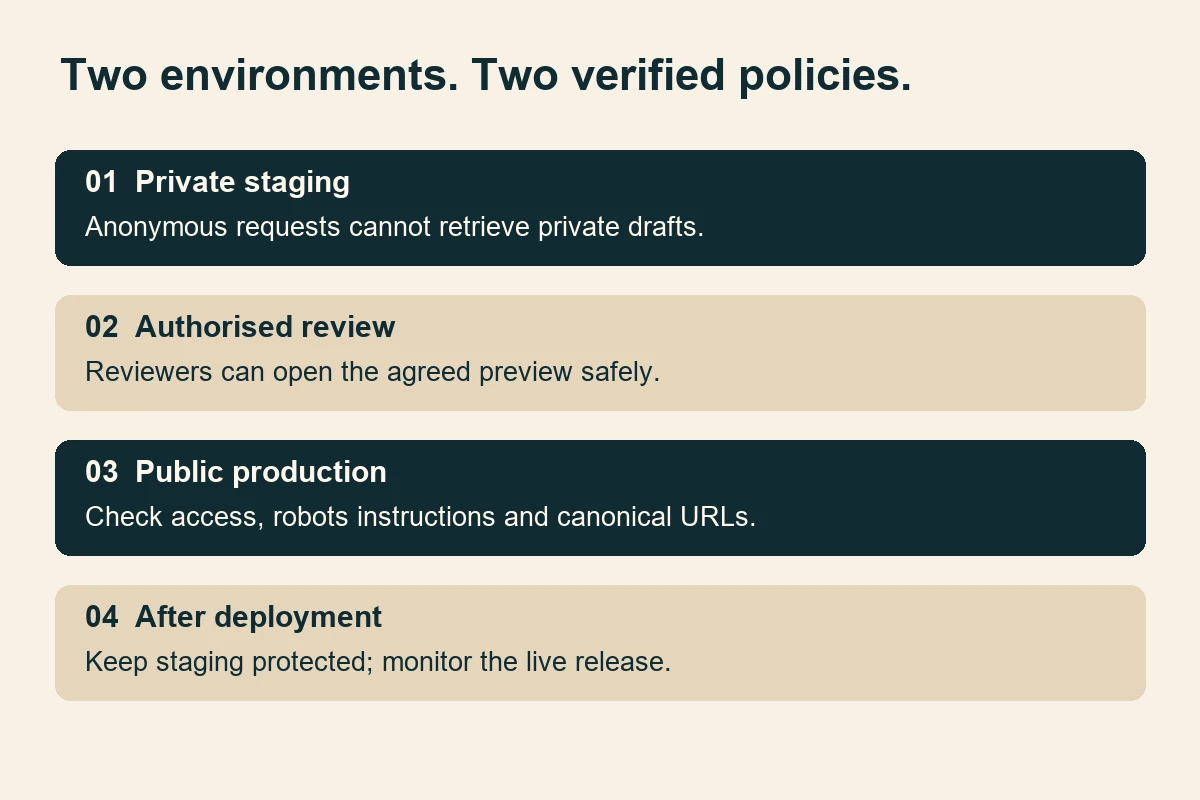
The release plan should describe two simultaneous outcomes: production serves the approved public website, and staging continues to enforce its own restrictions. “Remove all blocks” is too vague. Name the environment, hostname, setting and expected result for each planned change.
Keep environment decisions outside copied content
Ask how indexing directives and access rules are generated. They may come from application configuration, templates, a hosting panel, middleware, a reverse proxy or a CDN. The reviewer does not need every implementation detail, but somebody must own each layer. A CMS checkbox alone does not explain a header added upstream.
Use environment-specific settings that survive normal releases. Document which values may travel with the content and which must remain specific to staging or production. Where practical, add a deployment check that compares the target hostname with its approved access and indexing policy. A mismatch should require investigation before release continues.
Do not rely on JavaScript to remove a restrictive robots instruction after the page loads. Review the initial production response as well as the rendered page. If the website depends heavily on client-side rendering, the JavaScript SEO checklist provides the broader crawl-and-render context.
Check page identity and discovery separately
For each important production template, inspect the canonical URL, internal navigation, XML sitemap references and social-sharing URL. Look for preview hostnames carried over in absolute links. Review representative media URLs too: a public page should not depend on an attachment that only the agency's signed-in browser can retrieve.
Do not replace all hostnames with a blind text substitution across a live database. Ask the developer to use the platform's supported release procedure, preserve a targeted recovery point and validate affected references. The goal is an intentional environment transition, not a broad unreviewed edit.
Make repeat checks part of ordinary releases
A successful launch does not settle the environment policy forever. Ask what happens when a new preview is created, a hosting account changes or the website is restored from a recovery copy. These are sensible occasions to repeat the small access-and-indexing sample. Name the person responsible rather than leaving the check in an old launch document nobody reads.
For recurring deployments, agree a short release record. It might contain the build identifier, production hostname, one representative response check per template and a separate confirmation that staging remains private. Record exceptions openly. If a document lives on public storage by design, say so; do not mark the entire environment private while quietly excluding important files from the claim.
Keep rollback instructions equally specific. Rolling code back should not unintentionally restore obsolete environment settings. Ask the implementer which settings are included in the recovery point and which are managed separately. After any authorised rollback, retest access and search instructions on the resulting deployment. The recovery action and its verification belong in the same operational task.
Where a CDN or cache sits in front of the application, have the responsible engineer include that delivery layer in the review. Compare the public response with the agreed configuration instead of assuming a corrected setting is already reaching visitors. Ask how any necessary cache refresh will be scoped and verified. Avoid a blanket infrastructure change made only to satisfy a checklist.
Finally, keep the evidence readable for the next supplier. A line saying “SEO checked” is difficult to reuse. A dated record naming the environment, sampled URL, access context and observed instructions gives the next reviewer a concrete baseline. Keep secrets out of that record and retain only the evidence needed for the agreed support and rollback period.
A practical example for an Indian business
Consider a fictional Delhi manufacturer reviewing a new catalogue website. The preview contains proposed product descriptions and an unpublished distributor brochure. Sales managers need access from different locations. The live website must remain available throughout the review. This is an illustrative scenario, not a WSC client claim.
The team first classifies the brochure as private and replaces customer-related examples with approved sample material. It provides an agreed authenticated review route. The acceptance record covers a homepage, product detail page, deep link and direct sample document. Anonymous requests must not reveal the private content; authorised reviewers must still complete their tasks.
The launch owner then prepares a separate production check. The approved product pages should serve their final public URLs without inherited staging access restrictions or noindex instructions. Canonicals, navigation and the production sitemap should refer to the public domain. The staging hostname remains protected, with a named owner for future maintenance.
Suppose the first release check finds a production response header containing noindex even though the CMS screen says indexing is enabled. The team pauses the affected release step, identifies the responsible layer and corrects that setting through its approved process. It repeats the response check rather than accepting another CMS screenshot.
This approach produces evidence a buyer can understand without promising a ranking outcome. It also keeps the responsibility clear: the development team controls the release, the business approves access and content exposure, and the SEO reviewer checks the search-facing behaviour. Put these responsibilities into the website design brief before development begins.
If staging has already appeared in search
First establish what is exposed and whether it should be publicly retrievable. Preserve only the evidence needed to explain the issue, avoiding extra copies of sensitive material. Notify the responsible project owner through the agreed process. Search clean-up and restoring access control are separate tasks; an attractive search result is not the only concern.
For private content, restore the appropriate access restriction promptly through the authorised team. Do not keep sensitive material public just to make an indexing directive readable. For a deliberately public preview with non-sensitive content, a crawlable noindex approach may be appropriate. The chosen action should follow the actual exposure requirement.
If an eligible URL needs urgent removal from Google results, an authorised property owner can consider the Search Console Removals tool. Google describes this as temporary and requires a separate lasting solution. Check the exact URL or prefix before submitting a request, especially where production and previews share a domain. A broad request can affect more than intended.
Use URL Inspection to distinguish Google's indexed information from a current live test where the property and access allow it. A live test does not guarantee eventual indexing or predict Google's selected canonical. Record which type of evidence you reviewed instead of presenting every green result as confirmation of search visibility.
Recheck the original exposed addresses, approved access policy and production sample after the correction. Do not promise an immediate search refresh. Search results are not a complete inventory of everything publicly retrievable, so the absence of a result cannot close an access-control finding.
Common mistakes that make the handover fragile
- Keeping the preview secret by name. An unusual subdomain is still an address someone can open or share.
- Mixing contradictory controls. A crawler blocked by robots.txt cannot reliably read the noindex instruction you expect it to process.
- Testing only the homepage. A document, media route or alternative hostname can have different access behaviour.
- Copying production configuration from staging. The code may be ready while environment restrictions remain wrong.
- Trusting a canonical as protection. A preferred-URL signal does not prevent content retrieval.
- Closing the task after a temporary removal. Search suppression does not repair the exposed environment.
- Forgetting the support period. A privately retained preview still needs an owner and reviewed access.
A release checklist worth signing off
Keep the evidence proportionate. A concise record should identify the build, environment, sampled URLs, requester context, observed result, responsible person and retest. Retain a useful targeted recovery point through the agreed rollback window. Avoid collecting full copies of customer data to prove a configuration setting.
- All known preview hostnames and aliases have a named purpose and owner.
- The business has approved what may be public and what must remain private.
- Anonymous checks cover representative pages and direct files.
- Authorised reviewers can still complete the agreed review journey.
- Production access, headers and HTML robots instructions match the release policy.
- Production canonicals, internal links and sitemap references use the intended public URLs.
- Public pages load their required media without staging credentials.
- Staging remains protected after the production release.
- Any exposure finding has a lasting correction and a recorded retest.
- Monitoring, access expiry and environment retirement have named owners.
Ask for the environment record alongside the website ownership and access handover. That record should help the next team understand which address is public, which remains private and how normal deployments preserve the distinction.
Conclusion: verify two environments, not one launch button
Staging SEO is a boundary-management task. Private review content needs enforced access; public production pages need the intended search-facing configuration. Neither outcome follows automatically from publishing a new build. A small, representative set of response checks can expose mistakes that a polished presentation misses.
Agree the policy early, test without inherited reviewer access, and repeat the production checks after deployment. Then monitor the environment you actually released. This creates a defensible launch decision while recognising the limits: technical eligibility does not guarantee indexing, traffic or rankings.
Sources
Official documentation checked on 18 November 2026. The workflow and fictional example are editorial recommendations, not a claim that Google mandates this project checklist.
- Google Search Central: control shared content
- Google Search Central: noindex
- Google Search Central: robots.txt
- Google Search Central: canonical URLs
- Chrome DevTools: network inspection
- Search Console: Removals
- Search Console: URL Inspection
Workspace photography by Hanna Pad on Pexels, used and adapted under the free Pexels licence. Images are illustrative, not WSC projects or endorsements. Diagram: Web Solution Centre Editorial Team.