

 Contact Us
A request for a “modern, professional website” can start a conversation, but it cannot tell a designer which customer question the homepage must answer, who will approve the service copy or what should happen when an enquiry fails. Those decisions still exist. Leaving them unwritten simply moves them into meetings, revisions and assumptions.
A useful website design brief connects each business goal to a visitor task, the content needed to support it, an accountable owner and an observable check. Prepare those inputs before asking a design team to propose the build. You do not need to choose the technology or draw every screen; you need to explain the work the website must help people do.
This guide provides a copyable planning template, a page-responsibility map, a content-readiness ledger and a completed fictional example for a Delhi professional-services business. It is an original illustrative resource, not a WSC client record, quotation or contract. Once the inputs are ready, use our separate guide to comparing website design quotations to evaluate supplier responses.
Give the brief a clear job
The brief records the problem, available evidence and decisions your business can make. A sitemap lists proposed pages. A wireframe explores how information might appear. A quotation explains a supplier's proposed work and commercial terms. These documents inform one another, but a mood board cannot replace a business brief.
Keep the first version readable by your sales manager, content owner and designer. Attach detailed material separately: an approved service list, existing page inventory, image library or integration documentation. A short main document with clearly named attachments is easier to maintain than a long document containing several contradictory copies of the same facts.
Give it a version, date and decision owner. Identify whether the project is a new website, a replacement or a focused addition. State known constraints without prescribing a solution prematurely. “Our staff must update service descriptions” is a useful requirement; “use this plugin because another company does” needs investigation.
A brief is ready for discovery when important unknowns are visible and assigned. It is not ready merely because every box contains confident language. Your designer should be able to challenge assumptions, suggest simpler routes and identify missing inputs without being treated as changing an already settled specification.
Start with the customer's task
Business goals such as more enquiries or stronger credibility need a visitor-level explanation. Who arrives, what triggered the visit, what must they understand and what action is appropriate? An owner comparing consultancy services has a different task from an existing customer looking for support.
The GOV.UK guidance on learning user needs recommends investigating what people are trying to accomplish and treating unsupported suggestions as assumptions. That principle is useful for business websites too; it does not turn an internal discussion into completed user research.
Use evidence you can actually access
Review recurring customer questions, anonymised enquiry themes and existing analytics where available. Ask colleagues which terms customers use and where conversations become confused. Separate observed evidence from a sales team's expectation. If no customer research exists, label the proposed audience and task as provisional and agree how discovery will check them.
Replace “make us look premium” with a practical statement: “A first-time business owner should understand which of our three services fits their situation and request a discussion without knowing our internal department names.” Visual quality still matters, but it now supports a specific decision.
Choose one primary task for the first release and list secondary tasks separately. Recruitment, customer support and new-business enquiries may all belong on the website; they should not compete for the same next step everywhere.
Copy the input-to-check template
Copy these fields into your own document. For each, write the current answer, its evidence, the responsible role and one check. Use “unknown” where necessary. The check should show whether the input has been understood; it is not a promise of sales, rankings or universal usability.
- Business situation: What is changing, and why is website work needed now?
- Primary visitor: Who needs help, in what situation, using which familiar language?
- Primary task: What should that person understand or complete?
- Offer boundaries: Which services, locations and requests are supported or excluded?
- Page responsibilities: What question does each proposed page answer?
- Content readiness: Which facts, copy and assets are approved, incomplete or missing?
- Essential interactions: What starts each journey, and what constitutes a useful outcome?
- Quality expectations: Which devices, accessibility checks and performance conditions matter?
- Decisions and dependencies: Who can resolve each unknown, and what work depends on it?
- Release priorities: What must work first, and what can wait?
Add a final line for the brief's reviewer and next review date. Do not embed passwords, customer records or account recovery codes. Describe the access that will be needed and arrange it through an appropriate separate process.
One good row is more helpful than ten vague features. “Service page explains eligibility; service lead supplies approved criteria; reviewer can identify eligible and unsuitable requests” gives the team something to design around. “Professional service page with engaging content” leaves the central decision unanswered.
Map page responsibilities before layouts
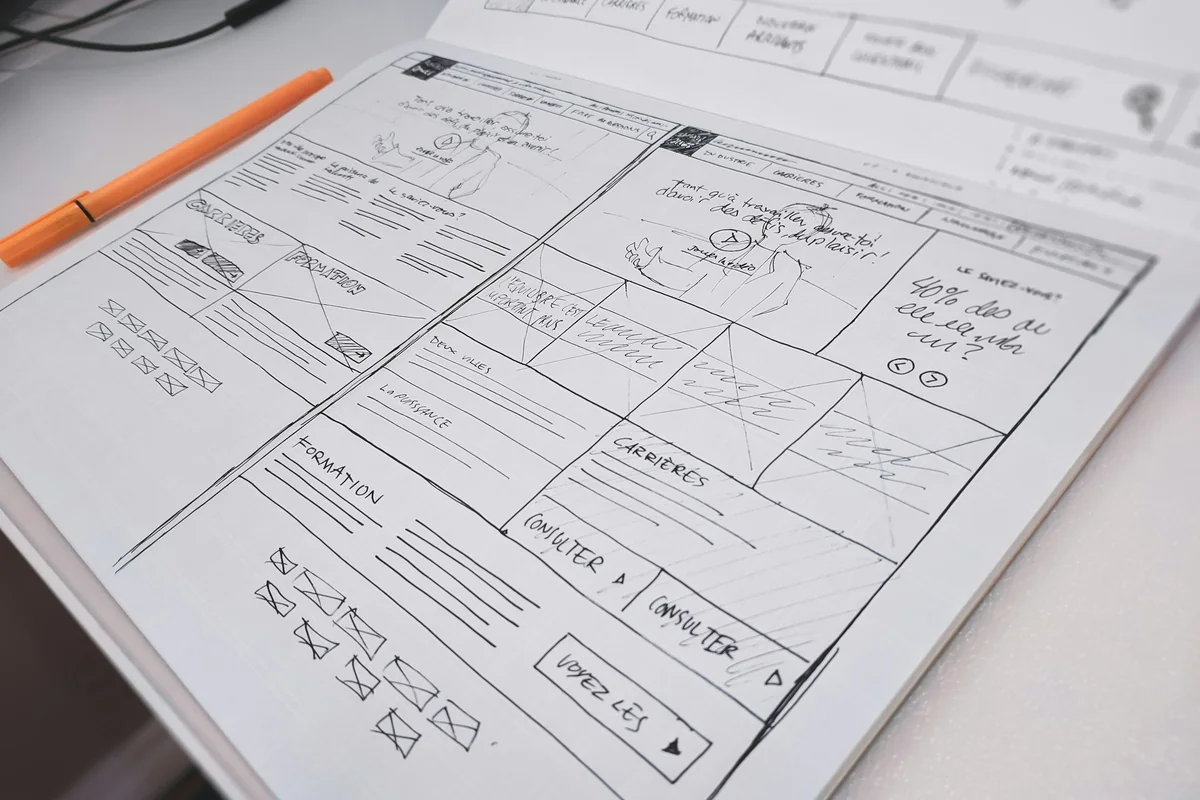
A page list becomes useful when each page has a job. For every proposed page, record the visitor's question, required answer, evidence, content owner and next step. This reveals duplicated pages, missing explanations and navigation labels that only your own team understands.
A copyable page card
- Page: proposed name and location in the navigation.
- Visitor question: the uncertainty this page resolves.
- Required content: facts and explanations needed to answer it.
- Proof: approved supporting material, or a declared gap.
- Owner and status: who supplies and approves the material.
- Next step: the relevant action or related page.
For a consultancy service page, the question might be “Is this suitable for a business at my stage?” Required content includes who the service serves, typical inputs, boundaries and how an initial discussion works. A generic testimonial cannot answer those questions. If the team cannot explain the offer, a designer cannot solve the problem by rearranging cards.
Keep the distinction between a page and a reusable layout visible. Three service pages may share a template while needing three independently approved sets of facts. When discussing website design with Web Solution Centre, bring these page cards so the conversation can move beyond page counts and visual references.
Build a content-readiness ledger
“Content will be provided” hides several different tasks. Someone must establish facts, write understandable copy, approve claims, select permitted images and prepare files for publication. Record those stages separately, especially when subject experts are available only intermittently.
Use four states: approved for publication, drafted but awaiting review, missing and intentionally deferred. A file's existence does not mean it is approved. An old brochure may contain discontinued services, an outdated address or a photograph whose permission is unknown.
Record enough to make the gap actionable
For each item, capture its destination page, source file, factual reviewer, publication approver, status and next action. For example: “Service B eligibility; draft supplied by operations; service lead to verify exclusions; pending; blocks final page copy.” This identifies the dependency without pretending the answer already exists.
Check public claims before making them design elements. Awards, qualifications, partner badges, client names and testimonials need accurate wording and permission where relevant. Stock photographs should be described as illustrative when context could imply actual staff or projects. Keep asset licence records with the content package.
For search visibility, useful content starts with the reader's question and accurate supporting information. Google's people-first content guidance supports that approach; it does not prescribe an ideal word count or guarantee a position. Give each page a distinct purpose rather than asking every page to repeat the same location keyword.
Describe journeys and exceptions
Feature names conceal behaviour. “Consultation booking” might mean an appointment calendar, a request for a callback or a form that emails availability. Write what happens from the visitor's perspective before choosing the implementation.
A useful journey description includes the starting point, information required, visitor action, expected response and exception. For a service enquiry: start on the relevant service page; carry the service context into the enquiry; explain necessary fields; show what happens after a valid submission; provide a recovery path if delivery cannot complete.
Explain the business process behind the screen
Who receives the request? Can they respond during the stated hours? Does the message need review before an appointment is confirmed? The website should not display “booking confirmed” when the business has only received a request. Agree wording with the person responsible for fulfilment.
Write expectations for empty results, missing files and unavailable integrations too. If search is required, what should happen when the visitor uses an unfamiliar term? If a document changes, who updates the link? Small exceptions can expose larger content or operating gaps before development begins.
Keep detailed specialist testing in the appropriate resource. Our CAPTCHA and enquiry-form accessibility guide covers anti-spam recovery and rejection checks. In the brief, identify that the journey needs such review and assign responsibility rather than copying a separate technical specification.
Separate essentials from later ideas
Prioritisation should follow the customer task. Mark an item essential when its absence prevents that task, publishes an unsupported claim or leaves a critical operating dependency unresolved. Helpful items improve clarity or efficiency. Later items can wait without making the first release misleading or unusable.
For the illustrative consultancy, clear service descriptions and a working enquiry route are essential. A searchable resource library may be helpful once there is enough maintained content. Decorative motion is a later idea unless a specific communication need justifies it.
Write the reason beside each priority. This prevents “must have” from becoming a label for whichever stakeholder spoke most recently. When priorities conflict, return to the visitor's task and the business's capacity to supply and maintain the feature.
Look for hidden dependencies
A multilingual launch depends on reviewed translations and future update ownership. A case-study section depends on publishable evidence. A calculator depends on validated inputs and business rules. These are content and operational requirements, not just interface components.
Ask the design team to explain alternatives rather than selecting a platform from a feature wish list. A smaller first release may be sensible, but record what is deferred and how visitors will be served meanwhile. Removing an entire unsupported feature is different from leaving its button visible with no useful destination.
Agree useful quality checks
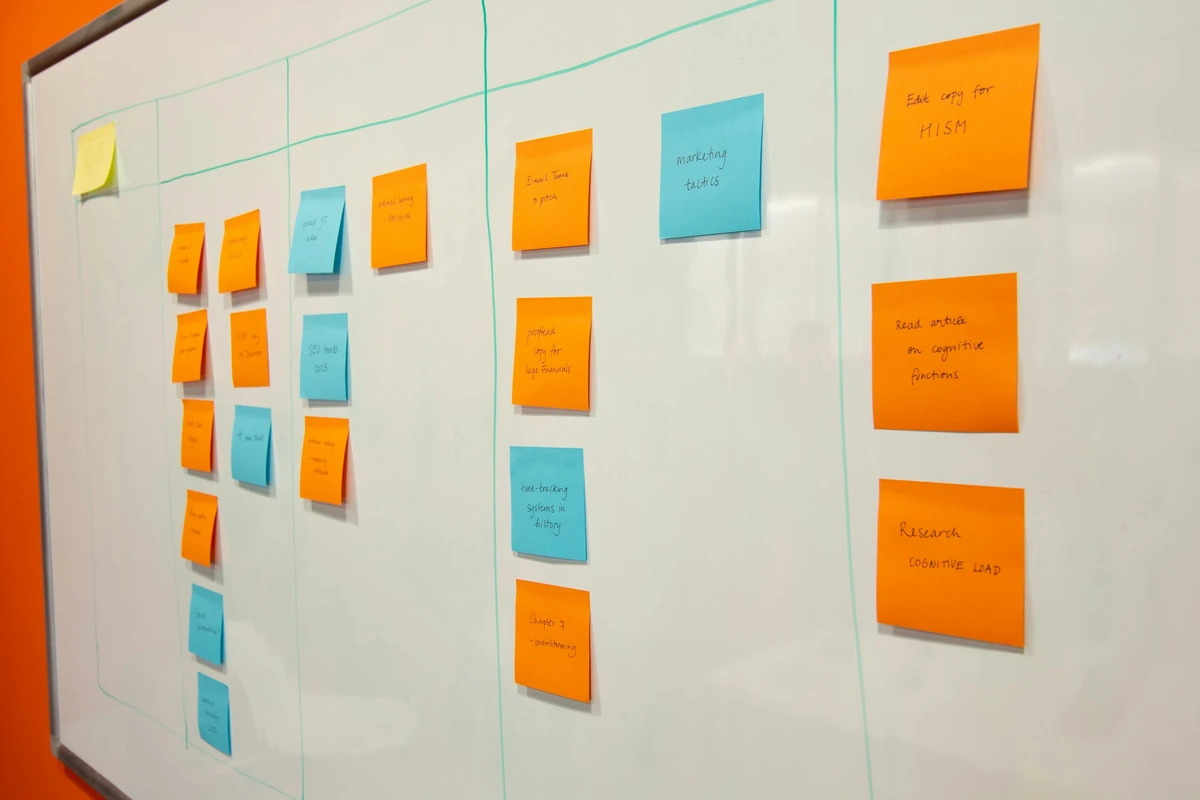
Turn broad adjectives into review questions. “Easy to use” might mean that someone unfamiliar with the business can identify a suitable service and find the enquiry route. Define the task and conditions first, then ask the team how it will evaluate them.
Include mobile navigation, readable content, keyboard access, visible focus and clear labels in the review plan. W3C's accessibility planning guidance treats accessibility as work to plan across a project. Its Easy Checks resource provides a starting review, not proof of complete conformance. Agree whether specialist evaluation and user participation are needed.
For performance, name representative page types, devices and test conditions. Ask for a measurement plan rather than a permanent score guarantee. Google's Web Vitals guidance distinguishes real-user measurement from development testing. A new website may not immediately have sufficient field data; record how the team will check before launch and monitor afterward.
Search requirements also need an appropriate owner. State whether existing URLs, content and measurement must be preserved, then attach the relevant inventory. For a replacement site, use our website redesign SEO checklist for migration detail. A general brief should flag that dependency without becoming another redirect or indexing manual.
Work through a completed fictional brief
The example below describes a fictional Delhi consultancy offering operations reviews, staff workshops and implementation support. It demonstrates planning decisions only. It is not a real client, a WSC delivery story or evidence of commercial results.
Situation and primary task
Input: first-time visitors cannot easily distinguish the three services. The proposed audience is owners and managers of small businesses; this is an assumption to validate during discovery. Task: identify a suitable service and request an initial discussion. Check: a reviewer can explain which service fits a supplied scenario using the page content, without staff clarification.
Pages and content dependencies
The service overview compares who each service helps and directs readers to details. Each detail page states eligibility, required client inputs, boundaries and the enquiry next step. The about page explains approved credentials. Contact explains how requests are handled. Relevant policy content remains subject to business approval.
Known gap: workshop eligibility wording is awaiting the service lead's review. It blocks final copy for that page. The content owner can draft the structure, but the team must not publish a guessed eligibility rule to meet a visual-design milestone.
Interaction and release decision
An enquiry is a discussion request, not an appointment confirmation. The operations role receives it and owns approved response wording. Essential first-release work is understandable service navigation and the request journey. A public resource library is deferred because nobody currently owns its editorial maintenance.
The worked example is deliberately modest. Every decision either explains the visitor's task, makes content responsibility visible or removes an assumption. It gives a design team room to propose a solution while making unsupported promises and incomplete inputs easier to detect.
Resolve unknowns before approval
Maintain a decision log alongside the brief. Each entry needs a question, evidence needed, decision owner, due date and affected work. For example: “Will workshop requests use the general inbox? Operations to confirm handling capacity; affects form routing and response copy.”
Distinguish a question needing expert advice from a fact only your business can supply. The agency can recommend a content system; it cannot independently approve your service boundaries. A deadline can be adjusted through discussion; permission to publish a client's name must come from an appropriate source.
When an answer changes, update the affected page card and journey description together. Keep the prior decision in the log so reviewers understand the change. Record the source of the new answer rather than relying on a message buried in a group chat.
A short exercise for your first review meeting
Choose one essential page and ask three people to review its card: the person who knows the service, the person who handles customer questions and the person who approves public information. Ask each to identify one missing answer. Combine their observations into the decision log; do not resolve disagreement by averaging incompatible facts.
Next, rank the unknowns by consequence. An unconfirmed service boundary can change navigation and copy, so it belongs ahead of a preference about button colour. An unavailable photograph may have a permitted alternative; an unsupported credential cannot be replaced with a stronger-looking claim. Record the consequence and possible fallback beside each question.
Finally, read the primary journey aloud using only the proposed page content. If the explanation needs a staff member to fill a gap, decide whether the website should answer it or explicitly invite a discussion. This is an internal preparation exercise, not a substitute for testing with actual users. Its output should be a shorter, clearer list of decisions for discovery.
Use references selectively. In WSC's website design portfolio, look for an observable decision you want to discuss: navigation, information hierarchy or a particular content relationship. Explain why it is relevant. Public work shows visible design; it does not establish another client's private budget, results or scope.
Avoid common briefing mistakes
- Collecting designs before understanding the task. Record what you like and the problem it solves, rather than asking for a copy of another website.
- Calling every asset final. Distinguish factual verification, publication permission and editorial approval.
- Adding pages without responsibilities. Require a visitor question and content owner before expanding the map.
- Hiding unknowns with confident wording. Assign the question and dependency instead of making the designer guess.
- Approving only attractive screens. Review representative content and complete journeys, including interruptions.
- Promising outcomes the brief cannot establish. Agree observable delivery checks and a measurement plan, not guaranteed enquiries or rankings.
Use the preparation checklist
- The document has a version, date and one decision owner.
- The primary visitor and task are explicit; assumptions are labelled.
- Supported offers and boundaries have a factual reviewer.
- Every essential page has a purpose, required content and next step.
- Content and asset permissions have visible readiness states.
- Essential journeys describe responses and exceptions.
- Priorities include reasons and operational dependencies.
- Quality checks identify conditions, evidence and review responsibility.
- Unknowns have owners and affected work is identified.
- The team can update the brief without losing prior decisions.
Move from brief to discovery
A good website design brief makes the next conversation more useful. It shows what your business knows, what remains uncertain and how the proposed website will help a visitor. It cannot eliminate discovery, replace specialist judgement or predict commercial results.
Complete the template, create page cards for the essential pages and identify the three most consequential unknowns. Then bring the document to your design team for review. If you would like to discuss a WSC project, use our website project enquiry route with those inputs prepared. The aim is a buildable, reviewable plan that your business can support after launch.
Sources
- GOV.UK Service Manual: learning user needs
- Google Search Central: people-first content
- W3C WAI: accessibility planning
- W3C WAI: Easy Checks and their limits
- web.dev: Web Vitals
- Unsplash License: free commercial use and modification
- Featured photograph: airfocus on Unsplash
- Wireframe photograph: Compagnons (@sigmund) on Unsplash
- Planning-board photograph: Paymo on Unsplash