

 Contact Us
A polished business video can be visible to customers and still be nearly invisible to a search engine. The player may work perfectly, the production may be excellent and the page may even rank as a normal blue link. Yet Google may not recognise the video, index it for video features or understand who created it, how long it runs and which thumbnail represents it.
The direct answer is that video SEO in 2026 needs three layers working together: an indexable watch page, a fetchable video and thumbnail, and accurate VideoObject structured data. On 24 September 2026, Google updated its video structured-data documentation to explicitly support the creator property (while continuing to support author) and to clarify the interaction types accepted inside interactionStatistic. Those additions are useful, but they do not replace the basics.
For Indian manufacturers, property firms, healthcare providers, education businesses, software companies and ecommerce brands, the practical goal is not to add more schema for its own sake. It is to create a clean route from a useful video to a crawlable page, consistent metadata and measurable Search Console evidence. This guide explains how to do that without inventing view counts, marking up decorative clips or promising a rich result.
What changed in VideoObject guidance?
Google's Search documentation update log records two changes published on 24 September 2026. First, the creator property is now documented for VideoObject, with author also supported. Second, Google clarified the interaction actions it supports inside interactionStatistic: WatchAction, LikeAction, CommentAction and ShareAction.
The creator can be a Person or an Organization. If you provide one, include at least a truthful name or alternateName; a stable profile or organisation URL can help identify the entity. This is useful for a founder's educational series, a hospital specialist's explainer, a manufacturer's engineering demonstration or a brand's product video. It is not permission to attach a famous person, an agency or a client who did not actually create or publish the video.
Interaction statistics are optional and must reflect real, maintainable counts. A watch count belongs with WatchAction; likes, comments and shares should use their matching actions. Do not combine unlike actions into one number, estimate them from unrelated analytics or freeze a count that the visible page contradicts. If reliable data is unavailable, omit the property. Accurate minimal markup is better than impressive-looking fiction.
What did not change
Google still requires name, thumbnailUrl and uploadDate for an eligible VideoObject. A video still needs to sit on an indexable watch page and have a valid, stable thumbnail. Structured data does not guarantee indexing, a particular appearance or a ranking improvement. It describes what is already on the page; it does not turn a weak page into a useful destination.
What a video needs before schema can help
Start with the watch experience. Google's video SEO best practices define a watch page as a page whose main purpose is to let a visitor watch one video. A product page with an optional demonstration or a news article containing a supporting clip can still appear as a text result, but Google may treat the video differently from the primary video on a dedicated watch page.
A useful watch page has a unique URL, a descriptive title and summary, a clearly visible player, supporting copy, a stable thumbnail and enough context for a person to decide whether the video answers their need. The page must be indexable and canonical. If it is blocked by robots.txt, marked noindex, hidden behind a login or treated as a duplicate, its video has no clean path into Google's video index.
Make the player discoverable
Use standard HTML such as <video>, <iframe>, <embed> or <object>. Do not rely on a user click, swipe or consent interaction to inject the only player into the page. If JavaScript creates the player, confirm that the rendered HTML seen in URL Inspection contains it. This is part of wider technical SEO implementation, not a schema-only task.
Google must also be able to fetch the player or the actual video bytes when a feature needs them. Stable media URLs matter. Very short-lived signed URLs, crawl blocks, unsupported file types, overloaded streaming servers and geographically inconsistent responses can prevent processing even when the watch page itself returns HTTP 200. A third-party embed is allowed, but the third-party host's restrictions still affect what Google can fetch.
Treat the thumbnail as an indexable asset
The thumbnail is required for video eligibility. Give every important video a unique, representative image at a stable URL. Google documents a minimum size of 60 by 30 pixels but prefers larger images; the file must be accessible to Googlebot and Googlebot Image. Keep the same preferred thumbnail across structured data, a video sitemap and Open Graph metadata. A blocked, missing, generic or frequently changing thumbnail creates an avoidable failure point.
Choose a frame that communicates the subject at small sizes. A readable product, person or process usually works better than a crowded collage. Avoid deceptive play buttons, sensational claims and unrelated stock photography. Businesses that maintain a public video library can also connect watch pages from a useful hub such as WSC's video showcase, provided each linked destination offers genuine value.
Required and recommended VideoObject properties
The current VideoObject documentation separates required properties from recommended ones. Required means the markup may not be eligible without it; recommended means the information can help Google understand or use the video more fully. Neither label removes the obligation to keep the markup consistent with visible content.
The three required properties
name: a unique, accurate title for this video, not a template repeated across an entire library.thumbnailUrl: one or more URLs for a valid thumbnail image that remains crawlable and available.uploadDate: the date and time the video was first published in ISO 8601 format, preferably with a timezone.
A page title and a video name may be similar, but they describe different things. A page called “Packaging line automation for Indian food manufacturers” could contain a video named “Five-minute walkthrough of an automated pouch-filling line.” The visible heading, player title and JSON-LD should tell one coherent story rather than mechanically repeat a keyword.
Recommended properties that often matter
description: a unique summary of what the video actually shows. HTML inside the value is ignored.contentUrl: the stable URL of the video file's bytes. Google recommends it when available because it is the most effective way to fetch the media.embedUrl: the URL of the player for this specific video, not the watch-page URL. Use it when a direct content URL is unavailable.duration: the running time in ISO 8601 duration format, such asPT4M18S.creatororauthor: the genuine person or organisation that created or published the video.interactionStatistic: verified counts paired with supported action types.regionsAllowedorineligibleRegion: accurate country restrictions when licensing or access genuinely varies.expires: an expiry date only when the video truly becomes unavailable. Do not add one to an evergreen asset.
Case matters in some examples across the web, so follow the names shown in Google's current documentation and validate the deployed output. Do not assume a plugin is correct because it prints JSON-LD. CMS themes, video plugins and tag managers can create duplicate objects, stale thumbnails or conflicting dates.
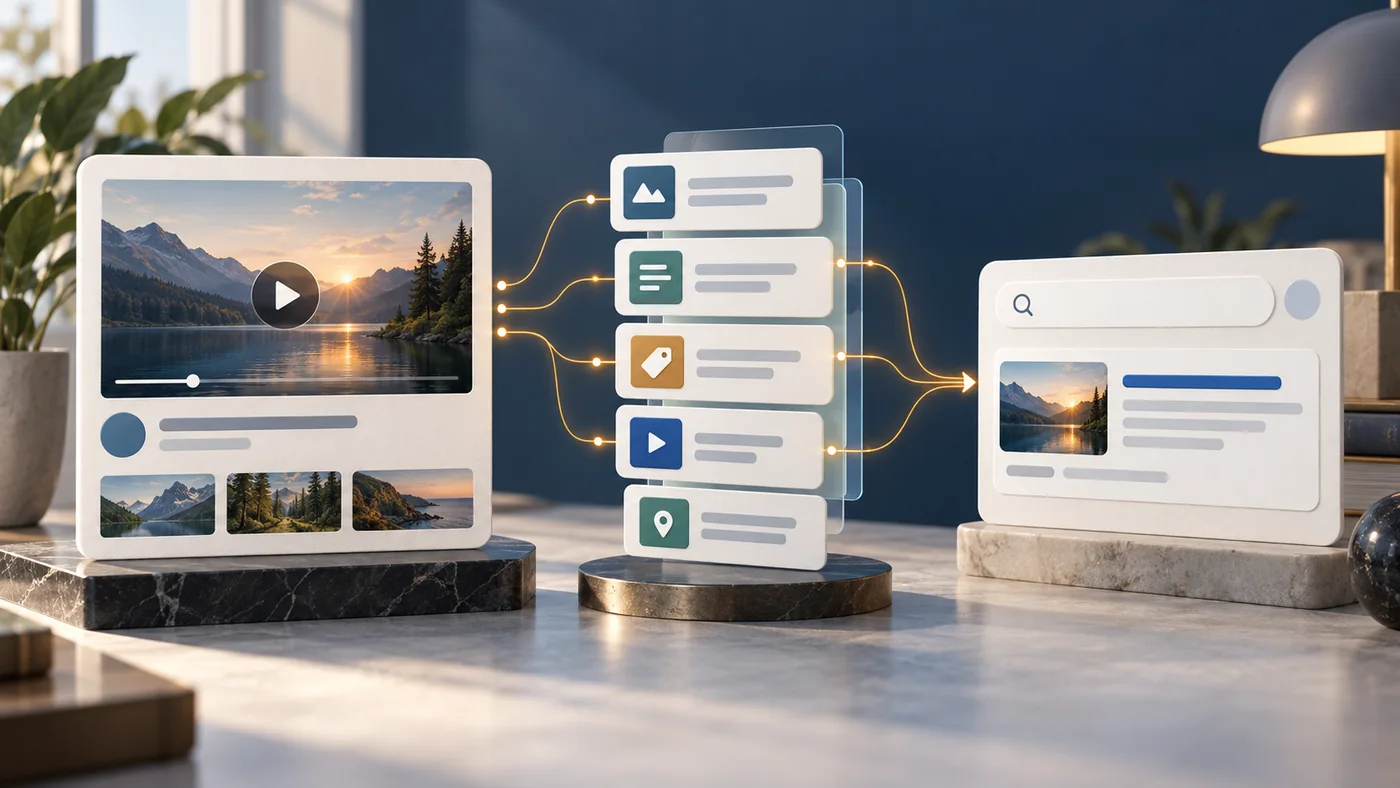
A practical JSON-LD implementation
JSON-LD is usually the easiest format to maintain because the object can sit in a script block without wrapping visible page elements. The data still needs a single source of truth. Pull the title, thumbnail, upload date, duration, creator and media URLs from the same database record that renders the player and visible copy.
{
  "@context": "https://schema.org",
  "@type": "VideoObject",
  "name": "How a rooftop solar survey works for a Delhi warehouse",
  "description": "A four-minute site walkthrough covering shade, roof area, wiring and safety checks.",
  "thumbnailUrl": [
    "https://example.in/media/solar-survey-thumbnail.webp"
  ],
  "uploadDate": "2026-09-20T10:30:00+05:30",
  "duration": "PT4M12S",
  "contentUrl": "https://cdn.example.in/video/solar-survey.mp4",
  "embedUrl": "https://example.in/player/solar-survey",
  "creator": {
    "@type": "Organization",
    "name": "Example Solar Engineering",
    "url": "https://example.in/about"
  },
  "interactionStatistic": {
    "@type": "InteractionCounter",
    "interactionType": {
      "@type": "WatchAction"
    },
    "userInteractionCount": 1842
  }
}
This example uses an illustrative business and count. On a real website, every value must come from the real asset. If the streaming platform does not expose a stable contentUrl, use the correct embedUrl rather than fabricating a file path. If analytics cannot produce a defensible public watch count, remove interactionStatistic. If a named presenter appears but the company produced and published the video, decide which entity truthfully fits “creator” and use the same identity consistently across the site.
Generate schema on the server when possible
Server-rendered JSON-LD reduces the chance that a failed client script leaves Google with a player but no metadata. It also makes template testing easier. JavaScript-generated markup can work, but test the rendered result and ensure the values do not arrive only after a delayed user action. Teams using reactive front ends should apply the same caution described in the JavaScript SEO checklist.
Validate syntax and truth separately
Use Google's Rich Results Test to catch missing or malformed properties, then use URL Inspection after deployment to see the rendered page. A passing test only confirms that the markup is machine-readable and meets the tested rules. It does not confirm that the video is useful, that the media URL is fetchable in production, that the watch page is canonical or that a rich result will appear.
Structured data, video sitemaps and Open Graph compared
Google supports several metadata routes for video discovery. They are complementary, not competing hacks. Use the smallest combination your team can keep accurate.
| Method | Primary job | Best use | Common failure |
|---|---|---|---|
VideoObject | Describes the video and enables supported search features | Every important watch page | Markup conflicts with visible content or the player |
| Video sitemap | Supplies watch-page and video metadata at scale | Large or frequently updated video libraries | Non-canonical, expired or inaccessible URLs remain listed |
| Open Graph video metadata | Provides share and discovery metadata | Consistent social previews and an additional discovery source | Thumbnail or player URL differs from other signals |
| HTML player element | Makes the player visible in rendered page structure | Every watch experience | Player appears only after an interaction or failed script |
A video sitemap is especially useful when videos are numerous, recently published or not easy to discover through normal navigation. Its <loc> value is the watch page; the video file or player belongs in its dedicated video element. Keep sitemap values aligned with structured data. A sitemap is a discovery aid, not an override for a blocked page, bad canonical or unavailable media file.
Large libraries need ownership. Decide whether the CMS, video platform or publishing pipeline controls each field. Create automated checks for missing thumbnails, invalid dates, duplicate names, inaccessible media and expired items. A technical SEO audit should compare rendered pages, structured data, video sitemaps and Search Console—not inspect each in isolation.
Key moments, clips and interaction data
Long videos become more useful when visitors can jump to a relevant section. Google supports Clip markup when the publisher chooses specific labels and timestamps, and SeekToAction when the site's URL pattern can accept a time value that Google uses for automatically identified moments. The video must support deep linking beyond its start, and key-moment features have additional requirements.
Use Clip when editorial control matters: a webinar agenda, installation steps, an interview's questions or sections of a property tour. Each clip needs a descriptive name, a start offset in seconds and a URL that opens the same video at that moment. Do not create dozens of vague labels such as “Part 1” and “Part 2.” Labels should help a person decide where to enter.
Use SeekToAction only when the player and URL scheme genuinely support the placeholder. Test shared URLs in a fresh browser and on mobile. If ?t=120 claims to open at two minutes but the player always begins at zero, the markup describes behaviour the page does not deliver.
Use interaction counts conservatively
Google now documents four supported actions. If a platform exposes separate watches, likes, comments and shares, each can be represented as its own InteractionCounter. Maintain a clear refresh process. Counts should not be copied from one hosting platform when the schema implies they describe all watching across several destinations unless that aggregation is accurate and disclosed internally.
Do not treat interaction markup as a ranking lever. Its purpose is to describe observable engagement. The strongest investment remains the video itself: a clear promise, credible expertise, accessible captions, useful supporting text, fast playback and a next step that suits the viewer's intent.
How to audit video indexing in Search Console
Search Console's Video indexing report counts indexed pages where Google detected a video and shows whether one video on the page was indexed. It does not provide a complete count of every unique video on the site. Google indexes no more than one video per page for this report, so a page containing a gallery of ten clips does not create ten indexed-video records.
- Confirm page indexing first. A video cannot be indexed from a page that Google has not indexed. Resolve crawl,
noindex, canonical and duplication issues before debugging video details. - Compare expected watch pages with reported pages. A lower total can mean Google has not indexed the pages or has not found their videos.
- Open each reason group. Prioritise valuable templates rather than trying to clear every historical URL at once.
- Inspect representative URLs. Use URL Inspection to see indexed and live-test information, rendered HTML, detected video details and structured data.
- Test the actual assets. Request the thumbnail, player and content URL as an unauthenticated client. Check status, content type, stability and crawl controls.
- Validate the fix on a sample. Deploy to a few watch pages, test them, then roll out across the template.
- Monitor performance separately. Use the Performance report's video search appearance or video search type where applicable; indexing does not itself prove traffic or business value.

Read common report states in context
“No video found on page” often points to a player that is injected late, hidden behind an action or represented in an unfamiliar way. “Invalid thumbnail” calls for checking dimensions, file accessibility, stability and metadata consistency. “Video is not the main content of the page” indicates that the page may not operate as a watch destination. That can be acceptable for a product or article page; create a dedicated watch page only if it offers a genuinely better experience, not merely to manufacture another indexable URL.
A “video indexed” state is not the end of the audit. Review whether the indexed watch page is the intended canonical, whether its title and thumbnail communicate the right promise, whether captions and surrounding copy are useful, and whether visitors can continue to a product, enquiry or related resource. Teams can use WSC's project portfolio as a reminder that proof and context matter after discovery.
Practical Indian business example
Consider a Pune manufacturer that sells packaging machinery across India. Its website embeds the same five-minute product demonstration on the homepage, product page and a news post. The player loads after a consent click, the thumbnail is a temporary URL from the hosting platform and every page uses an identical generic video title. The marketing team has added VideoObject through a tag manager, but Search Console reports that no video was found on several URLs.
The fix begins with intent. The product page should remain a commercial page with specifications, options and enquiry paths. The team creates one durable watch page for the demonstration, with a direct summary, transcript highlights, machine requirements, safety context and links back to the relevant product. It keeps the supporting embed on the product page, but treats the dedicated watch page as the primary video destination.
The development team renders the player container and JSON-LD in the initial HTML, provides a stable thumbnail, uses the first publication date and records the real duration. The company is the creator, so the markup identifies its organisation page. The hosting provider does not expose a stable file URL, so the team supplies the correct player embedUrl and does not invent contentUrl. It omits interaction counts until a reliable integration exists.
The watch page is added to the normal XML sitemap and a video sitemap. Both use the same canonical page and thumbnail. The team validates a staging example, deploys a small batch, inspects the live URLs and monitors the Video indexing report. It also measures qualified enquiries from viewers. This does not guarantee a video result, but it removes contradictions and gives Google and customers a much clearer experience.
Common video SEO mistakes
- Marking up every decorative background clip. Schema should describe a meaningful video that users can watch, not an autoplay texture behind a heading.
- Using one VideoObject across many different videos. Each asset needs unique titles, descriptions, thumbnails, dates and URLs.
- Pointing
contentUrlto the watch page. That property refers to the actual video bytes;embedUrlrefers to the player. - Hiding the player until a click. Google should not need a user action to discover the only video container.
- Publishing conflicting metadata. A page, sitemap, Open Graph tag and JSON-LD should not disagree about the title, thumbnail or availability.
- Inventing creator or engagement data. Optional markup is optional. Unsupported claims create risk without improving the user experience.
- Leaving expired videos indexable indefinitely. Update or remove unavailable media and handle the watch page according to whether useful replacement content remains.
- Treating validation as a guarantee. A valid object is only one eligibility input; indexing and search appearance remain Google's decisions.
- Ignoring captions and surrounding content. Schema helps machines, while clear audio, captions, transcripts and useful copy help people.
- Measuring views without outcomes. Connect video discovery to appropriate actions such as product exploration, booking or qualified enquiry.
Video SEO launch checklist
- The page has one clear primary video and a useful reason to exist.
- The watch page returns HTTP 200, is indexable and declares the intended canonical.
- The player appears in rendered HTML without a required user interaction.
- The thumbnail is unique, representative, large enough, stable and crawlable.
- The player or content URL is accurate, stable and accessible to Google.
name,thumbnailUrlanduploadDateare present and truthful.- Description, duration, creator and regional availability match visible reality.
- Interaction counts are verified, correctly typed and maintainable—or omitted.
- Clip or SeekToAction markup is used only when deep links work.
- Structured data, video sitemap and Open Graph metadata agree.
- The Rich Results Test reports no critical errors.
- URL Inspection can render the page and detect the video.
- Search Console reasons are monitored by page template and business priority.
- Analytics measures meaningful next steps, not only plays.
- A named owner updates metadata when videos change or expire.
Conclusion
Video SEO is not a schema snippet pasted into a tag manager. It is an agreement between the watch page, the player, the media host, the thumbnail, the structured data, the sitemap and the experience a visitor actually receives. Google's September 2026 update makes creator attribution and interaction statistics clearer, but accuracy remains more important than completeness.
Begin with a small set of commercially useful videos. Give each one an indexable, high-quality destination; expose a stable player and thumbnail; implement the required VideoObject properties; add only the recommended fields you can maintain; and verify the result in Search Console. If templates, hosting restrictions or conflicting metadata make that difficult, involve development, content and SEO together. A well-scoped web development review can resolve the template layer, while a technical SEO conversation can turn the audit into a prioritised implementation plan.
Sources
- Google Search Central: latest documentation updates
- Google Search Central: VideoObject, Clip and BroadcastEvent structured data
- Google Search Central: video SEO best practices
- Google Search Console Help: video indexing report
- Google Search Console Help: URL Inspection tool
- Google Search Central: general structured data guidelines
- Google Search Central: video sitemap best practices