

 Contact Us
Single-page applications have always had a measurement blind spot: a user can move from a product list to a product page, filter results and begin checkout without the browser performing another full page load. The experience may feel fast—or frustratingly slow—yet conventional Core Web Vitals reporting often keeps treating the entire session as one page.
That changed in 2026. Chrome 151 introduced new performance APIs for soft navigations, and version 6 of Google’s web-vitals library added support for reporting LCP, INP and CLS separately across SPA route transitions. The direct answer is that teams can now measure route-level experience more accurately in supported Chromium browsers. But this is not yet the same as saying Search Console or the Chrome User Experience Report already evaluates every SPA route separately. Chrome has not announced how soft navigations will be incorporated into CrUX, and other browser engines do not yet support the new APIs.
For Indian ecommerce, SaaS, fintech and booking platforms, the practical opportunity is to improve what customers actually experience after the landing page—not to chase a new score. This guide explains what changed, how to implement measurement without corrupting historical data, what to test on real devices and how technical SEO, development and analytics teams should share responsibility.
What changed for SPA Core Web Vitals in 2026?
Chrome 151 introduced two performance APIs designed to recognise route changes that happen inside an existing document. The browser can emit a soft-navigation performance entry and associate related paint and interaction entries with a navigation identifier. Google’s web-vitals library added soft-navigation support in version 6, released in July 2026, and has continued to receive fixes since then.
Before this change, Core Web Vitals were tied mainly to the original top-level navigation. If a customer entered a React, Vue, Angular or other JavaScript application on /products and then moved to /products/blue-shirt, the browser could update the URL and page content without creating a new document. LCP would not simply restart for the product route. INP and CLS could accumulate across a long session, while the metric remained associated with the landing URL.
The new capability gives real-user monitoring teams a standard way to slice that journey. It is especially relevant to long-lived applications where important conversion steps happen after the first route. It does not replace the need for crawlable URLs, server-rendered or pre-rendered critical content, meaningful status codes and accessible links. Those remain separate search requirements covered by a robust technical SEO implementation.
What did not change
Google has not announced a new ranking signal called “soft navigation performance.” Core Web Vitals still describe loading performance, responsiveness and visual stability, and Google still recommends good results because they support user experience. Relevant content, helpful functionality, crawlability and many other signals still matter. A perfect laboratory trace cannot rescue an application whose important routes cannot be discovered or rendered, which is why SPA teams should also use the JavaScript SEO checklist.
What counts as a soft navigation?
Chrome’s definition requires three events:
- a user interaction initiates the change;
- the URL visible in the browser changes; and
- the interaction results in new content being painted.
This browser-level definition is important. It does not depend on a particular framework emitting a custom event, so the same concept can work across different SPA stacks. A click that opens an accordion without changing the URL is normally an interaction, not a soft navigation. An automatic URL rewrite without a user action may also fall outside the definition. Conversely, an application can produce false positives or miss transitions that its product team informally calls “pages.”
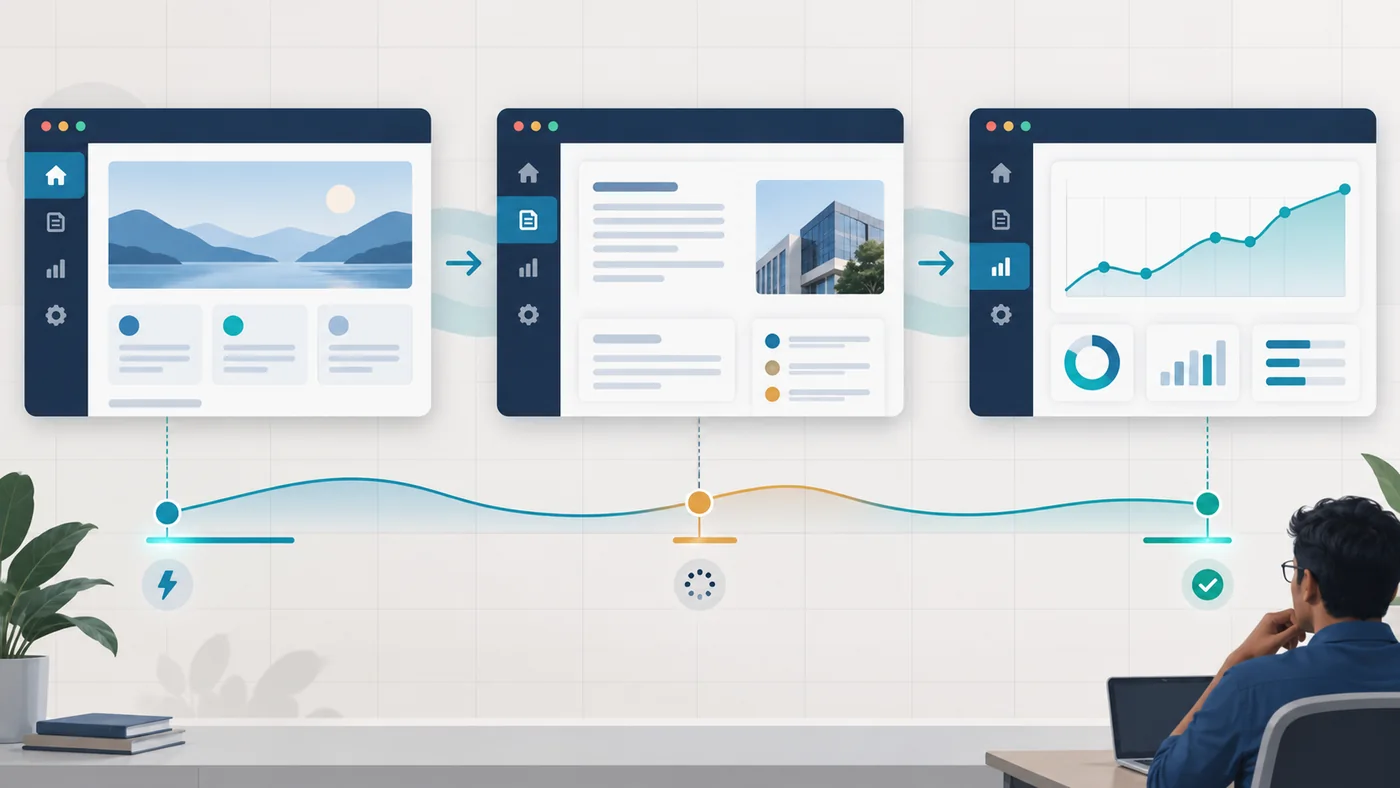
This is why measurement begins with a route map. List the transitions that customers genuinely perceive as moving to another page: search results to product detail, dashboard to report, plan selection to checkout, property list to property detail, or doctor search to appointment slot. Then compare that map with the soft-navigation entries Chrome detects. The API is a measurement standard, not a substitute for product judgement.
How LCP, INP and CLS behave across SPA routes
The headline metrics retain their user-centred purpose, but their boundaries change when a new route starts. Understanding those boundaries prevents attractive dashboards from telling the wrong story.
| Metric | Traditional full navigation | Soft navigation treatment | What to investigate |
|---|---|---|---|
| LCP | Largest eligible content paint during the initial page load | Largest newly painted eligible content associated with the route-changing interaction | Delayed route data, image discovery, component rendering and main-thread work |
| INP | Representative slow interaction across the document lifecycle | Reset and measured between navigation boundaries | Click delay, JavaScript execution, rendering work and delayed visual feedback |
| CLS | Largest layout-shift session window across the page lifecycle | Reset for the new navigation boundary | Unreserved media space, late components, fonts, banners and asynchronous content |
| TTFB | Time until the first response bytes for a document request | Reported as zero by web-vitals for a soft navigation | Measure route API or data-fetch latency separately; do not reinterpret zero as instant backend delivery |
LCP can represent a different element
Suppose a product application keeps its header and category banner on screen while the product panel changes. The persistent banner is not repainted for every route, so it may be the LCP element on a cold deep link but not on a soft transition. The route-level LCP could instead be a product image or a block of descriptive text. That difference is expected. Segment the data by navigation type instead of merging hard-load and soft-route values into one unexplained average.
INP belongs to the route where the interaction occurs
The click that initiates a soft navigation is generally associated with the route the user is leaving, just as a link click on a conventional page belongs to that page. Subsequent interactions belong to the new route. This matters when a slow “View details” click appears against the listing route rather than the product route. The diagnosis should follow the interaction and its processing work, not whichever URL happens to be visible when an analyst opens the report.
CLS still needs full-session thinking
Resetting CLS at a route boundary makes per-route comparison possible, but it does not make instability harmless. A filter bar that shifts after every result update can frustrate users even when each route-level number looks modest. Review both route-level segments and traditional full-lifecycle data while the ecosystem is transitioning.
What Search Console and CrUX do not show yet
The most important 2026 caveat is simple: being able to collect soft-navigation metrics yourself does not mean every Google report already uses them. Chrome’s documentation says the method for incorporating soft navigations into CrUX is still to be determined. The current SPA guidance also says Chrome has not published a timeframe for CrUX integration. Search Console’s Core Web Vitals report is based on CrUX, so teams should not present an internal route-level RUM dashboard as if it were identical to Search Console.
There are three legitimate views of performance:
- CrUX/Search Console field data: aggregated real-user Chrome data where sufficient samples exist, useful for the public picture and page-group trends.
- Your own RUM: first-party measurements that can include route, device class, geography, logged-in state and application release.
- Laboratory diagnostics: repeatable traces from Chrome DevTools, Lighthouse or test automation that help explain a problem but do not reproduce every real session.
Use field data to establish whether users have a problem and lab tools to investigate why. Do not compare a Lighthouse score from one simulated run directly with the 75th percentile of a 28-day field distribution. If page templates and route families are unclear, an evidence-led SEO audit can align Search Console groups, application routes and development ownership.
A safe implementation workflow
1. Preserve the historical baseline
Do not silently replace the existing Web Vitals stream. Run traditional full-navigation reporting and soft-navigation reporting in parallel. Add explicit fields such as measurement_method, navigation_type, navigation_id, navigation_url, application version and device class. Version the dashboard definition so a graph does not appear to improve merely because its population changed.
2. Upgrade deliberately
web-vitals v6 introduced breaking changes as well as soft-navigation support. Lock an audited version, review the upgrade notes, test on staging and watch the project changelog. The feature can be enabled with the reportSoftNavs: true option for supported metrics, but production code should send results to an owned analytics endpoint rather than just logging them.
3. Feature-detect browser support
Chrome 151 enables the feature by default, while older Chromium versions and other browser engines may not report it. Feature-detect support for the soft-navigation entry type. Keep a cross-browser route-timing fallback if the business needs wider coverage, but label that fallback as a different methodology. Do not mix heuristic route timings with standard API measurements without a clear dimension.
4. Send the correct route URL
A metric can be finalised after the user has already moved elsewhere. Use the navigationURL supplied by the library rather than reading location.href at send time. Store navigation identifiers because a user can visit the same URL more than once in one session. Validate that campaign parameters or personal data are removed according to the analytics design.
5. Protect performance and privacy
RUM code runs on every measured experience. Keep the client payload small, sample deliberately if traffic is high, batch or beacon events safely and avoid collecting DOM text, form values or user identifiers that are unnecessary for performance analysis. Measurement should not become the cause of poor INP.
6. Design the reporting model before collecting events
A useful event schema is more than a metric name and number. Record the route family, exact measurement method, hard or soft navigation type, metric rating, application release, coarse device class and an anonymous session-level key that allows analysts to understand a journey without identifying a person. Store the metric’s unique identifier and delta as recommended by the library so duplicate callbacks are not counted as independent experiences.
Decide the aggregation rules in writing. Core Web Vitals are assessed at the 75th percentile, so a dashboard built around daily averages can hide a painful minority of sessions. Require a minimum sample size before showing a route as healthy or unhealthy. Keep mobile and desktop separate, and resist adding so many filters that every segment becomes statistically meaningless. For lower-traffic B2B applications, a weekly or monthly view may be more honest than a volatile daily chart.
Route names also need governance. A product URL such as /products/blue-shirt?size=m should normally roll up into a product-detail template rather than creating a unique dashboard row for every parameter combination. At the same time, do not merge checkout, account and catalogue experiences merely because they share the same framework. The purpose of aggregation is to reveal repeatable component problems while preserving meaningful customer journeys.
7. Define ownership and response thresholds
Assign a named owner to each failing route family. Slow data delivery may belong to a backend team; long interaction tasks may belong to frontend engineering; late marketing tags may belong to analytics; unstable promotional modules may belong to merchandising. A performance review without ownership becomes a recurring presentation rather than an improvement programme.
Set operational thresholds that trigger investigation, but distinguish them from Google’s “good” boundaries. A team may choose an internal warning before INP reaches 200 milliseconds so it has time to act. It may also define a release-blocking regression for a critical checkout path even when the overall origin still passes. This is product risk management, not an attempt to invent a new search ranking rule.
How to audit an SPA without misreading the data
Start with the customer journey, not the homepage score. A thoughtful website development process defines route performance budgets alongside functional acceptance criteria.
- Inventory route families. Group listing, detail, search, account, checkout and dashboard routes by shared component patterns.
- Identify high-value transitions. Prioritise routes tied to discovery, enquiry, payment, booking or account work.
- Record hard and soft entry paths. Test each important URL as a direct deep link and as an in-app transition.
- Capture real-user distributions. Evaluate mobile and desktop separately and report the 75th percentile, not only an average.
- Trace slow sessions. Reproduce representative routes in Chrome DevTools, using live metrics and a performance recording.
- Fix the cause. Reduce main-thread blocking, prioritise route-critical requests, reserve media space and provide immediate interaction feedback.
- Verify search fundamentals. Open routes directly, inspect server output, status codes, canonicals, metadata and internal links.
- Monitor after release. Compare like-for-like cohorts and allow enough field data to accumulate before claiming improvement.
Translate each failing metric into an investigation
For route-level LCP, trace when the route data request begins, when its response arrives, when the main content component renders and when the largest new element paints. Look for waterfalls caused by fetching data only after a JavaScript bundle executes, images discovered late inside components, oversized media and work that blocks rendering. The fix may be prefetching likely routes, prioritising critical data, sending dimensions and responsive image candidates, or rendering useful route content earlier.
For INP, reproduce the exact slow tap, click or keyboard action. Break its latency into input delay, processing time and presentation delay. Long tasks, broad state updates, synchronous storage, third-party code and expensive layout work are common causes. Give the user immediate feedback, split heavy work, reduce unnecessary component updates and move non-visual work away from the critical interaction.
For CLS, watch the entire transition rather than only its first frame. Reserve space for route images, ads, recommendations, consent surfaces and validation messages. Avoid inserting promotional bars above content after it has painted. Load web fonts with a deliberate strategy and test back, forward and cached transitions, because instability can appear only after components reuse prior state.

When a redesign or framework migration is involved, use the website redesign SEO checklist as the broader launch plan. Performance measurement does not cover redirect mapping, content parity, analytics continuity or rollback preparation.
Practical Indian ecommerce example
Imagine a Delhi-based fashion retailer whose SPA opens quickly on the category landing page. Search Console shows an acceptable origin-level Core Web Vitals picture, and a one-off Lighthouse test looks healthy. Yet customers on mid-range Android phones complain that colour filters hesitate, product details appear blank before images arrive and the cart drawer jumps when a recommendation widget loads.
The team maps four transitions: category to filtered category, filtered list to product detail, product detail to cart, and cart to checkout. It keeps the traditional full-session Web Vitals stream, then adds soft-navigation reporting for Chrome 151+ users. Route-level RUM shows that the initial category load is not the main problem. The product transition has slow LCP when an unprioritised image request begins late; the filter interaction has poor INP because a large component tree rerenders; and the cart route produces CLS because widget space is not reserved.
Each finding leads to a specific engineering change: fetch and display route-critical product content sooner, reduce unnecessary render work and reserve a stable recommendation container. The team validates direct product URLs for crawlability and metadata, tests on slower phones and networks, and watches the new release against the same route and device cohorts. It does not promise a ranking increase. It can truthfully report that important customer transitions became more responsive and stable.
For a new application, review relevant website project examples and turn these measurements into acceptance criteria before the architecture is locked.
Common mistakes
Calling every state update a navigation
A modal, tab or accordion can matter to users without representing a new route. Measure the interaction, but do not distort route reporting simply to create more rows.
Treating TTFB zero as instant data delivery
The library reports TTFB as zero for soft navigations because there may be no equivalent document request. Track route data-fetch latency separately and relate it to the paint it delays.
Replacing historical data overnight
Soft-navigation boundaries change how long-lived metrics are finalised and reset. An apparent improvement may be a definition change. Dual-report, annotate the launch date and avoid before-and-after claims that mix methodologies.
Assuming Chrome data represents every customer
Chrome 151+ support provides valuable evidence, but it is not cross-browser coverage. Keep Safari, Firefox, older devices and embedded webviews in functional and performance testing.
Optimising a score instead of a journey
Removing useful content, delaying functionality or suppressing measurement can improve a dashboard while harming customers. Preserve the business task and reduce the work required to complete it.
Ignoring direct URL entry
A route that feels perfect after client-side navigation can fail when opened from Search, a shared message or a bookmark. Test deep links, server responses, canonical URLs, metadata and error handling independently.
SPA Core Web Vitals launch and monitoring checklist
- Map real customer route transitions and rank them by business importance.
- Confirm that each indexable route has a unique, directly accessible URL.
- Keep hard-navigation and soft-navigation measurements as separate datasets.
- Upgrade and pin an reviewed
web-vitalsv6 release. - Feature-detect support and label fallback measurements accurately.
- Send
navigationURL, navigation type and application version with each metric. - Evaluate LCP, INP and CLS at the 75th percentile for meaningful cohorts.
- Track route API latency separately from soft-navigation TTFB.
- Test high-value flows on mid-range Android devices and realistic Indian mobile networks.
- Compare direct deep links with in-app transitions.
- Use DevTools traces to diagnose field problems, not to replace field evidence.
- Check that monitoring code respects privacy and does not create main-thread overhead.
- Annotate releases and measurement-method changes in reporting.
- Validate crawlability, status codes, canonicals, metadata and internal links.
- Recheck after deployment and keep a rollback plan for material regressions.
Conclusion
Soft-navigation measurement closes a real blind spot for single-page applications. Chrome 151 and web-vitals v6 give teams a more consistent way to understand what happens after the landing page, where many modern customer journeys actually succeed or fail.
The responsible 2026 approach is measured adoption. Keep current reporting intact, collect the new route-level view in parallel, segment it clearly and use it to fix observable customer problems. Do not claim that every soft route is already represented independently in CrUX or Search Console, and do not turn a new API into a ranking guarantee.
If your team needs a route inventory, performance measurement plan and crawlability review for an SPA, contact Web Solution Centre with the framework, priority journeys, analytics stack and target markets. That context makes it possible to design a useful audit rather than another generic speed report.
Sources
- Chrome for Developers: Measuring soft navigations
- web.dev: How SPA architectures affect Core Web Vitals
- GoogleChrome web-vitals documentation
- GoogleChrome web-vitals changelog
- Google Search Central: Understanding Core Web Vitals and Search
- web.dev: Core Web Vitals workflows with Google tools
- web.dev: Getting started with measuring Web Vitals